
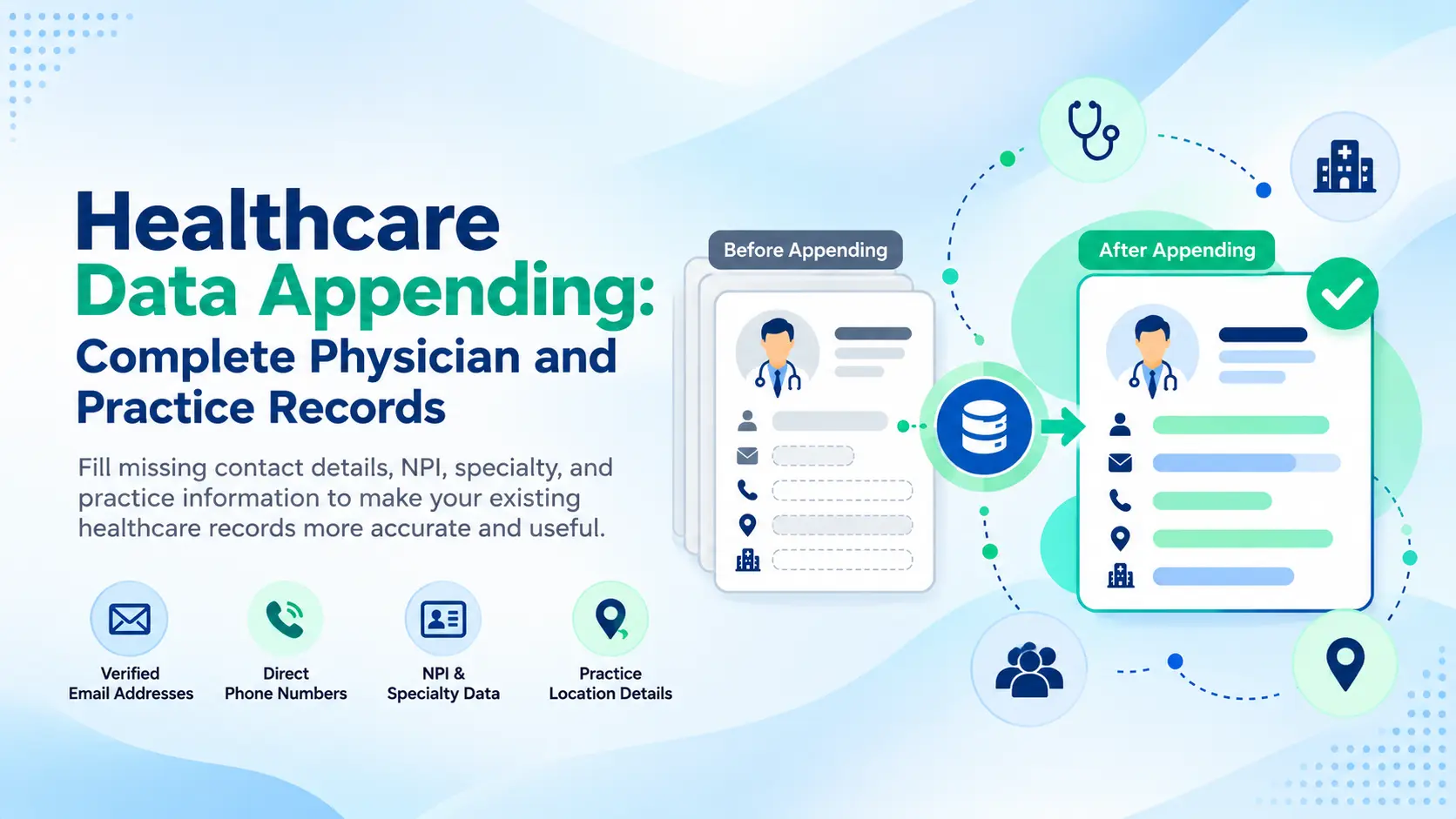
A medical-device team has 8,000 physician records. Many have no professional email. Some contain a billing address instead of the current practice location. Specialty fields are blank across a large part of the file.
Healthcare data appending fills those gaps by matching existing physician or practice records to relevant reference data and adding missing business information. It does not replace the source database, and it cannot turn a weak match into a certain one.
This guide explains what a physician data append can add, how to prepare an input file, which match keys matter, how to evaluate results, and why testing a sample before scaling is useful.
What Is Healthcare Data Appending?
Quick Answer
Healthcare data appending is the process of matching existing physician or healthcare-practice records to reliable reference data and adding missing business fields such as NPI, specialty, professional email, phone, practice information, or location. It improves records you already hold rather than creating an entirely new database.
This guide concerns healthcare-professional and organization data, not patient medical records.
A medical data appending project might begin with names and practice locations, then add available professional identifiers or business contact information. LeadsCampaign’s data appending services are designed for this type of existing-record enhancement.
Data Appending vs. Data Enrichment vs. Data Cleansing
These processes overlap in a broader data-quality workflow, but they solve different problems.
| Process | What It Does | When to Use It | Healthcare Example |
|---|---|---|---|
| Data appending | Adds specific missing fields to existing records | You know what field is missing | Add NPI or professional email to a physician record |
| Data enrichment | Adds broader context to make records more useful | The database needs additional attributes | Add specialty, practice affiliation, role, or organization details |
| Data cleansing | Fixes problems already present | Records contain duplicates, errors, or inconsistent formats | Merge duplicate physician records and standardize addresses |
Appending answers: What is missing?
Enrichment answers: What more would make this record useful?
Cleansing answers: What is wrong with the data already here?
For a broader comparison, see LeadsCampaign’s B2B data enrichment service.
Why Physician Records Go Incomplete (and Signs Yours Need an Append)
Physician records change because the real-world entities behind them change.
A physician may move from an independent practice to a hospital group. A health system merger may introduce a new email domain. Event leads may enter the CRM with a name and company but no specialty or direct contact information.
Address fields create another problem. A correspondence or billing address is not necessarily the location where the physician practices. CMS distinguishes business mailing information from practice-location information within NPPES records.
Signs a file may need an append include:
- Important fields are blank across otherwise usable records.
- Practice locations are missing or mixed with mailing addresses.
- Physicians cannot be segmented reliably by specialty.
- Professional emails or phone fields are incomplete.
- Records from forms, events, purchased data, and older CRM exports contain different levels of detail.
Appending is most useful when the underlying record can still be identified confidently. If the database is mainly duplicates, formatting problems, or known bad values, cleansing may need to come first.
What Data Can Be Appended to Physician and Practice Records?
A healthcare data append can operate at two levels: the individual physician and the organization where that physician works.
Common append types include professional email, business phone or fax, practice address, NPI, specialty, and organization attributes. A reverse append starts with an existing identifier, such as a phone number or email, and uses it to identify or complete the associated business record where appropriate.
If a team has no usable source file at all, it needs list building rather than appending. A healthcare email list is a different starting point from improving existing CRM records.
Physician-Level Fields: NPI, Specialty, Email, and Direct Phone
| Field | Why It Matters |
|---|---|
| NPI | Provides a stable identifier for matching a US provider |
| Specialty / NUCC taxonomy | Supports professional segmentation |
| Credentials | Helps distinguish professional type where available |
| License state | Adds jurisdictional context but requires separate validation |
| Professional email | Provides a business outreach channel where available |
| Direct phone | Supports phone-based professional outreach where available |
The National Provider Identifier (NPI) is a unique 10-digit identifier assigned through CMS’s National Plan and Provider Enumeration System, or NPPES. Once assigned, the number remains the same even when certain provider details change. The NPI itself does not encode specialty or location.
Specialty can be represented using the NUCC Health Care Provider Taxonomy Code Set. The current Version 26.1, published in July 2026, uses 10-character alphanumeric codes organized by provider grouping, classification, and area of specialization. Providers self-select taxonomy codes, so a taxonomy value should not be treated as independent proof of licensure or board certification.
Teams that need new physician contacts rather than an append can also use a physicians email list built around their audience criteria.
Practice-Level Fields: Location, Affiliation, and Decision-Makers
| Field | Why It Matters |
|---|---|
| Practice name | Connects the physician to the working organization |
| Practice location address | Supports territory and account planning |
| Group / TIN | Helps identify the associated business entity where available |
| Practice size | Adds account context where supported |
| Hospital affiliation | Connects the physician to relevant facilities |
| IDN membership | Adds integrated delivery network context where available |
| Office manager | Identifies an operational practice contact |
| Administrator contact | Adds relevant non-clinical decision-maker information |
The practice layer matters because a physician record alone may not tell a sales or marketing team which organization to approach.
CMS also maintains separate practice-location data in NPPES, including additional non-primary locations in its downloadable reference files. In 2026, CMS moved the downloadable NPPES files to Version 2 with expanded field lengths, making current file handling an important consideration for teams that maintain provider reference data internally.
For organization-level decision-makers, LeadsCampaign also maintains a healthcare executives email list.
Before and After: A Sample Appended Physician Record
Illustrative record only. It does not represent a real physician.
| Field | Before | After |
|---|---|---|
| Name | Dr. Jordan Example | Dr. Jordan Example |
| NPI | 1XXXXXXXXX | 1XXXXXXXXX |
| Specialty | — | Appended: Cardiology |
| — | Appended: j*@examplepractice.com** | |
| Phone | — | Appended: (XXX) XXX-XXXX |
| Practice | Example Medical Group | Example Medical Group |
| Practice location | — | Appended: Example City, TX |
| Hospital affiliation | — | Appended: Example Health System |
The append does not create a new physician. It completes fields on a record that can already be matched with sufficient confidence.
Append at the physician layer to reach the right individual. Append at the practice layer to reach the right organization and its decision-makers.
Who Uses Healthcare Data Appending?
Healthcare data appending serves teams that already own physician or practice records but cannot use them effectively in their current state.
- Pharma territory teams: Add specialty or practice information needed to organize HCP territories.
- Medical-device sales teams: Complete contact and location fields before assigning physician accounts to representatives.
- Healthcare SaaS teams: Add professional and organization attributes needed for ICP filtering.
- Healthcare recruiters: Complete specialty, contact, and location information for physician sourcing.
- Healthcare marketing agencies: Standardize and complete client-supplied HCP files before segmentation or outreach.
What You Need Before You Start: Input Files and Match Keys
An append works from an input file, typically CSV or XLSX, containing the records that need to be completed.
Provide as much trustworthy identifying information as you already have. Useful inputs can include:
- NPI
- Full professional name
- Credentials
- License state
- Practice name
- Practice location
- Existing business email or phone
- Website or organization domain
Do not fill unknown fields with guesses simply to make the file look more complete. Missing information is easier to manage than incorrect information.
More identifying fields generally give the matching process more evidence to distinguish one physician from another.
Why the NPI Is the Most Reliable Match Key
For US physician records, the NPI is a particularly strong match key because CMS assigns it as a unique 10-digit provider identifier. CMS also makes NPPES data available through a free public registry and downloadable files.
| Match Key | Reliability | Main Risk |
|---|---|---|
| NPI | High for provider identity | Does not itself prove licensure or specialty |
| Name + license state | Strong when details agree | Similar names and outdated license context |
| Name + practice address | Useful | Physicians can have multiple or changed locations |
| Name only | Low | High false-positive risk |
Name-only matching is particularly weak. Two physicians may share a surname and first initial. Middle names may appear inconsistently. A physician may also use a former or shortened name.
NPI matching reduces that ambiguity, but it has limits. CMS explicitly states that issuance of an NPI does not ensure or validate that a provider is licensed or credentialed.
Specialty also needs context. A physician may have multiple NUCC taxonomy codes, and those codes are self-selected professional classifications rather than licensing evidence.
How Healthcare Data Appending Works, Step by Step
A reliable append separates matching, field completion, verification, and CRM merging rather than treating them as one automated action.
Step 1: Standardize Your Physician File
Normalize the fields that will be used for matching.
Use consistent formats for physician names, credentials, states, phone numbers, and addresses. Remove obvious duplicates or flag them for review before appending. Preserve any NPI or source identifiers already present.
The objective is to give the matching process clean inputs without deleting useful source evidence.
Step 2: Match Records Against a Reference Source
Apply the strongest available match key first.
An NPI can provide a direct provider identifier. Without one, use combinations such as name plus license state, organization, or practice location. Weak records should not be forced into matches merely to improve the apparent match rate.
Store unmatched and uncertain records separately for review.
Step 3: Append Missing Fields with Confidence Flags
Add only the fields that correspond to a sufficiently supported match.
A confidence flag can distinguish a strong identifier-based match from one built from multiple weaker attributes. The exact scoring approach varies by provider, but the buyer should be able to understand what the labels mean.
Do not treat every populated field as equally certain.
Step 4: Verify Appended Emails and Phone Numbers
Contact fields need their own checks after the identity match.
An email may match a likely business format but still be invalid. A phone number may belong to the main practice rather than the physician directly. Store the contact type and verification status where the workflow supports it.
Verification reduces uncertainty; it does not guarantee inbox placement or response.
Step 5: Merge Back Into Your CRM Without Overwriting Good Data
Append results should not automatically replace a newer internal value.
Use rules such as:
| Condition | Action |
|---|---|
| If existing field is newer and trusted | Retain it |
| If existing field is blank | Consider appended value |
| If values conflict | Flag for review |
This protects first-party information gathered directly by the sales team.
If the CRM also contains duplicates or formatting problems, CRM data cleaning can run alongside the append.
5 Common Physician Data Append Mistakes
1. Using a billing or mailing address as the practice location
A correspondence address can serve a different purpose from the physical location where services are rendered. NPPES distinguishes mailing and business practice addresses. Keep those fields separate rather than treating one as a substitute for the other.
2. Having no “primary” rule for multiple affiliations
One physician may work across several practices or hospitals. Decide whether the CRM needs a primary practice, all current affiliations, or a campaign-specific location. Otherwise, account ownership and territory assignment can become inconsistent.
3. Matching on name only
Name-only matching can connect the wrong professional to the record. Use NPI or additional identifiers wherever possible, and route ambiguous records for review.
4. Letting appended data overwrite fresher internal data
The sales team may have updated a physician’s practice yesterday while the reference source reflects an older affiliation. Preserve trusted first-party timestamps and use conflict rules before merging.
5. Sending to appended emails without verification
Identity matching and email verification are separate processes. Check the appended business email before outreach and retain its verification status.
How to Evaluate a Healthcare Data Append Provider
A provider should make it possible to understand the result, not just report that a file was “matched.”
Match Rate vs. Accuracy: What the Numbers Really Mean
There is no universal “good” healthcare data append match rate. A useful match rate depends on the completeness of the input file, the identifiers provided, the fields requested, the reference coverage, and how the provider defines a successful match.
| Metric | Question it answers |
|---|---|
| Match rate | How many source records received the requested result? |
| Accuracy | How often were those returned values matched to the correct record? |
A provider could report a high match rate by accepting weak matches. Another could report a lower rate because uncertain records are left unmatched.
Ask whether a “match” means:
- Identity confirmed only
- At least one requested field found
- All requested fields found
- Email found
- Email verified
- Record passed a confidence threshold
Pricing Models and Effective Cost per Successful Append
Pricing may be based on:
- Every input record
- Successfully matched records
- Individual appended fields
- A recurring refresh or subscription model
- A custom project scope
Compare effective cost per useful result, not only the advertised unit price.
Hypothetical example
A provider charges $0.20 for each of 10,000 input records.
Total project cost = $2,000
If 6,000 records receive the required append:
Effective cost per successful append = about $0.33
This is only an illustration. It is not LeadsCampaign pricing or a market benchmark.
Also check what “successful” includes. A record with only a practice phone may not have equal value to one that returns the exact field the team needed.
Questions to Ask Before You Buy
Ask five practical questions:
- How do you define a successful match?
- How are appended contact fields verified?
- How are stale or conflicting records handled?
- Which sources and match keys support the append?
- Can I review a sample using my own records before committing?
Is Healthcare Data Appending HIPAA Compliant?
Appending professional business information about physicians is not automatically a HIPAA-regulated activity simply because the records concern healthcare professionals. HIPAA applies to protected health information handled by covered entities and applicable business associates. Patient-level data and PHI are outside the scope of this guide.
The distinction matters. A file containing a physician’s NPI, specialty, practice address, professional title, or business contact information is not the same thing as a dataset containing a patient’s diagnoses, treatment information, or other PHI.
That does not mean every healthcare-data project is automatically unrestricted. How an organization handles source data, client files, contracts, and outreach can create other legal or contractual obligations.
For US commercial email, the CAN-SPAM Act applies to commercial messages and does not exempt B2B email. FTC guidance covers sender information, subject lines, opt-out handling, and other requirements.
For non-US records, requirements such as GDPR or other privacy and marketing rules may also apply depending on the jurisdiction and use.
LeadsCampaign also provides information on how it sources and handles data.
This section is general information, not legal advice. Confirm your specific data handling and outreach process with qualified counsel where necessary.
How to Run a Test Append Before You Commit
A sample append lets you test the process against records whose quality you already understand.
Use a mixed sample rather than sending only your easiest records.
- Select roughly 200–500 records containing both clean and incomplete entries.
- Include known-good records as controls.
- Review the provider’s match rate and confidence categories.
- Manually check around 20–30 returned records against reliable sources.
- For business emails that have been verified and are appropriate for your use, run a limited operational test and review bounce handling.
- Move to a larger append only after the sample meets the project requirements.
The point is not to manufacture an impressive sample percentage.
A useful test reveals where the provider matches confidently, where it returns uncertain data, which requested fields are available, and what remains unmatched.
Frequently Asked Questions About Healthcare Data Appending
Can you append data using only a physician's name and state?
Yes, but the match is less certain than one supported by a unique identifier such as NPI. Common names and name variations create false-positive risk, so adding a practice location, organization, license state, or NPI gives the matching process stronger evidence.
How often should physician data be refreshed?
There is no universal refresh interval. Review active physician data regularly and sooner when practices merge, physicians change organizations, email domains change, or the data is being used heavily for current outreach. Avoid applying a fixed “data-decay” percentage without evidence from your own file.
How long does a healthcare data append take?
Turnaround depends on the number of records, the quality of the source file, the fields requested, the difficulty of matching, and the verification work required. A provider should review the input file before giving a project-specific timeline rather than applying one fixed promise to every append.
Can appending fix duplicate physician records in my CRM?
Appending can help identify duplicates when matching keys such as NPI show that two records belong to the same physician. The actual process of merging, removing, or standardizing duplicate records is data cleansing, so the two activities often work together.
How much does healthcare data appending cost?
Pricing can be based on input records, successful matches, appended fields, or recurring refreshes. Compare the total project cost with the number of usable results rather than comparing unit prices alone. A sample can also show whether the provider is returning the fields your team actually needs.
Get a Complete Picture of Your Physician Data
A useful healthcare record connects the right physician with the right practice and the professional channels needed for the intended workflow.
If your existing file has missing emails, specialties, NPIs, practice details, or organization information, test the append before committing to the full database.
If you would like to see what an append would add to your own file, send a sample of your records and review the match results before deciding anything.


